
In a private WhatsApp group about AI, someone asked: “What do you write in the permanent instructions you give Claude?”
The short answer is: as little as possible. The long answer is the system this article describes, which currently holds just over 5,000 files.
Some context first. I run a lean startup. Lean meaning, I don’t have a chief of staff. What I do have is a folder of text files and an AI that reads them.
My Obsidian setup as a graph
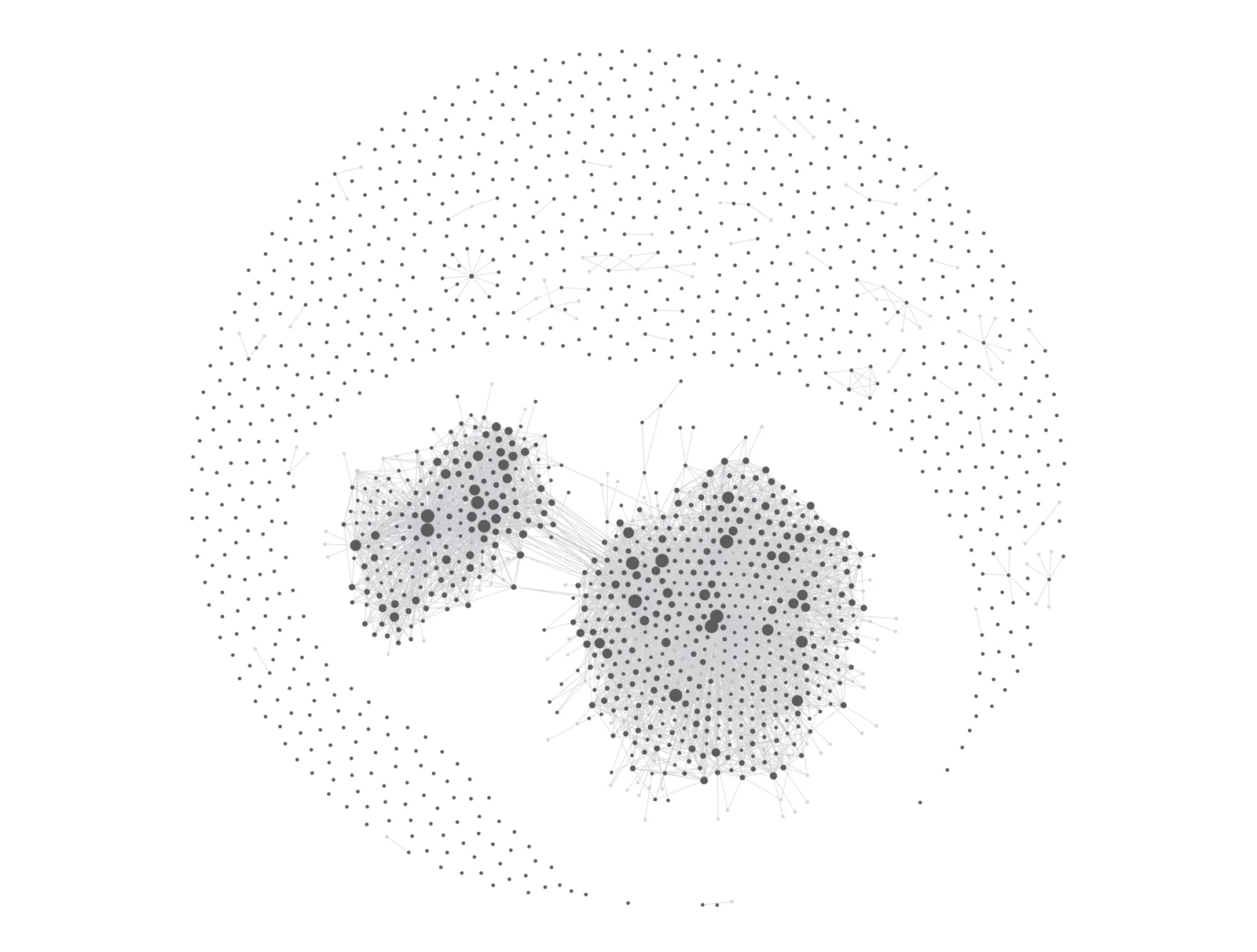
Every dot is a file, every line a link between two files. The dense clusters are the project wikis, where the knowledge is most interconnected. The rest of this article explains how it works.
Why you need an AI second brain
Every AI assistant has the same flaw. Perfect recall inside a conversation, followed by total amnesia between conversations. Close the conversation window and it forgets your company, your clients, your writing voice, and all the decisions you made just 20 minutes ago.
Most people solve this by re-explaining. Every session starts with five minutes of “here’s what I’m working on.”
A better prompt doesn’t fix this, but a system does: one that delivers context automatically, so every conversation starts already briefed. That system is my second brain, an Obsidian vault of plain markdown files that Claude reads, updates, and navigates on its own.
Before I go on, let me say that I am not claiming this is the only way to do things, or even the right way. It is the way that works for me and for my co-workers. It’s also a system that is constantly evolving as we learn new ways to do things better. What I’m publishing here is a snapshot. Two months from now it’ll probably look substantially different.
A knowledge management system in plain text
The whole thing is markdown files in folders, synced to a private GitHub repository. There’s no vector database, no retrieval pipeline, no SaaS subscription beyond the AI itself. Plain text is the substrate because plain text is what language models read natively, what humans can read, what git can version, and what will still open in 30 years. It doesn’t depend on Notion or Google Docs being around or staying backwards compatible, and the files are tiny.
The vault has four layers, and every file belongs to exactly one:
- Raw inputs. Transcripts, research, documents, data. Immutable once they land. Nothing edits a source.
- The wiki. Synthesized knowledge: one page per person, company, project, and concept. This layer is written with judgment, by the AI, under my direction.
- Doctrine. Stable, human-authored truth. My writing style guide, my bio, the rules of each business. Changes rarely.
- Artifacts. The actual work product. Drafts, proposals, decks.
The distinction that makes this work: the wiki states current truth, but not the history. When a fact changes, the page gets rewritten instead of appended. Git holds the changelog so the pages don’t have to. An AI reading a page gets the current state of play in one pass, with no archaeology.
State files rule every section
Each project has a file called _state.md. It answers one question: what is true right now? Live deals, open decisions, deadlines, who owes whom what.
State files are the load-bearing wall. When I start a session on any project, the AI reads that project’s state file first, before doing anything else. It arrives at the conversation the way a good colleague arrives at a meeting: already knowing where things stand.
Every file also carries structured frontmatter, a small metadata block naming its type, project, and status. That makes the vault searchable by shape, not just by keyword. The AI can find “all open proposals for client X” without reading 5,000 files to do it.
Loading context on demand, instead of all at once
Five thousand files is far more than any AI can hold in its head at once. The answer to this is routing, not stuffing.
Every project has a slash command. I type /fishdog and the AI loads that project’s state file and instructions, and nothing else. The vault works like a library with a very good index: you don’t read the building, you pull the three books you need.
A small permanent instruction file sits at the top as traffic control. It says who I am, how I work, and where everything lives. It’s an index, not an encyclopedia. When people share their 5,000-word Claude instruction files, most of that word count is content that should be in linked files the AI pulls when relevant.
The daily loops that keep it alive
A second brain that requires manual upkeep dies in a month. Mine is maintained by scheduled jobs, small automated Claude sessions that run whether I show up or not:
- Ingest, daily. A bot sweeps my email and Slack and files anything relevant into the workspace.
- Briefing, every morning. At 7am a bot reads the vault and sends me an email: what’s urgent, what’s waiting on me, whose silence has gone on too long.
- Review, every Friday. The same machinery posts a “that was the week” summary to the team Slack, ready for our weekly meeting.
The wiki also gets updated as a byproduct of normal work. When a session produces something durable, a decision, a new contact, a changed date, the AI writes it to the relevant pages before we close. Documentation stops being a chore and becomes exhaust.
Session memory: compress and resume
At the end of a working session I run a command called /compress. It saves the state of the work to a dated file: what we did, what’s open, what comes next. When I want to pick the thread back up, days or weeks later, I run /resume and the whole context loads in seconds.
These dated files also accumulate into a second kind of history. Git records what changed in the vault; the session files record how the work went, what we tried, what we decided, and why. I can reopen any project as it stood on any date. A ledger and a diary are different things, this system keeps both.
In practice this means no project is ever cold. I can drop a workstream for three weeks, type one command, and continue mid-thought. Whoever said you can’t step in the same river twice never versioned the river.
This is 18 months of data, history, conversations and decisions

One folder, 1.44 GB. Everything this article describes fits inside it.
What this isn’t
None of this is guaranteed. Language models follow instructions probabilistically, not mechanically. The design answer is structural: don’t hope the model remembers a rule, make the rule live in a file that gets loaded every time. Architecture beats prompting.
The system grew over months of daily use, and the pruning matters as much as the writing. Stale context is worse than no context, because the AI believes it.
And the tooling is deliberately boring. Obsidian is free. Git is free. Markdown is free. The entire stack is a Claude or OpenAI subscription and text files. If needed, it runs on a locally hosted model. The whole thing is intelligence agnostic by design.
Where to start
Start with three files:
- A
CLAUDE.mdthat says who you are, what you’re working on, and how you like to work. - A
_state.mdfor your most active project, stating what is true right now. - A style guide, if you write in public, with real examples of your voice.
Point your AI at them at the start of every session. Update the state file when reality changes. Everything else in this article is that habit, compounded.
The test I apply to any AI setup is the same one I apply to research: if it doesn’t change what you build, buy, or believe, it’s expensive theatre. This one changed my working day within a week. The briefing lands before I’ve made coffee.